For teachers and schools

Tools that give teachers time back

Four apps for the jobs that eat into planning time: making lessons, building the timetable, weekly updates for parents and tracking progress in class. Each one was built by a teacher in a UAE school, and they run on Google Workspace.

The tools

Lesson Engine

In testing

AI-powered lesson planning: a complete lesson from one prompt.

  • A lesson plan, info sheet, worksheet and slides, made together
  • Ready-made versions: Support, Stretch, Easier to read and Arabic
  • Teach it as an interactive online lesson, post it to Google Classroom as drafts, or print it
  • Teach mode, a live progress board and seating plans built in
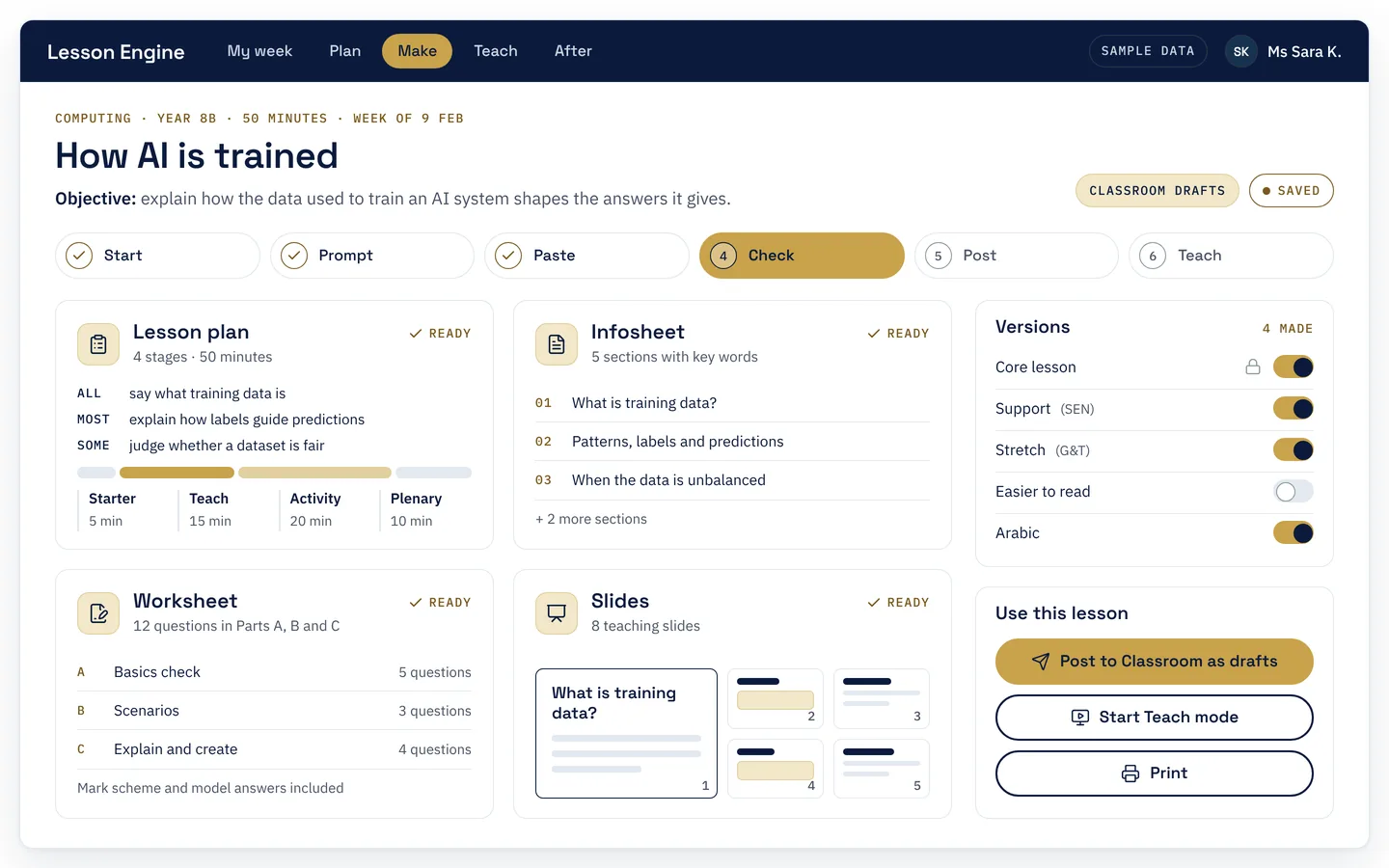
Lesson Engine screen with sample data: a finished Computing lesson for Year 8B, with ready cards for the lesson plan, infosheet, worksheet and slides, switches for the Support, Stretch, Easier to read and Arabic versions, and buttons to post to Google Classroom, start Teach mode or print.
Preview with sample data

Timetable Generator

In testing

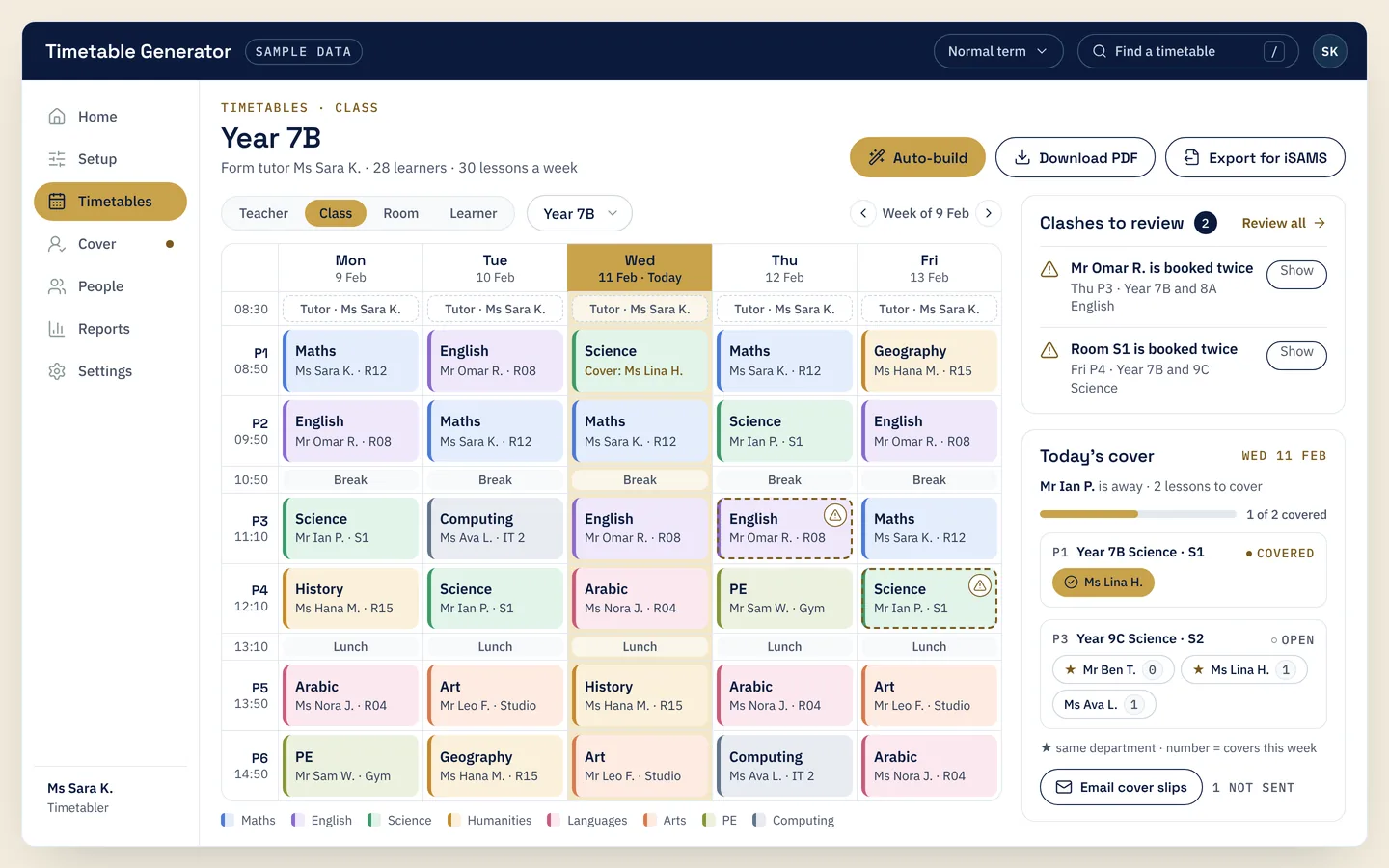
Build the school timetable and plan daily cover.

  • Builds the whole timetable automatically, then shows any clashes to review
  • Suggests cover for absent teachers and emails the cover slips
  • Prints timetables as PDFs
  • Imports from and exports to iSAMS
Timetable Generator screen with sample data: a week's colour-coded timetable for class Year 7B, two clashes flagged for review, and today's cover with suggested teachers, plus Auto-build, Download PDF and Export for iSAMS buttons.
Preview with sample data

Class Digest

In testing

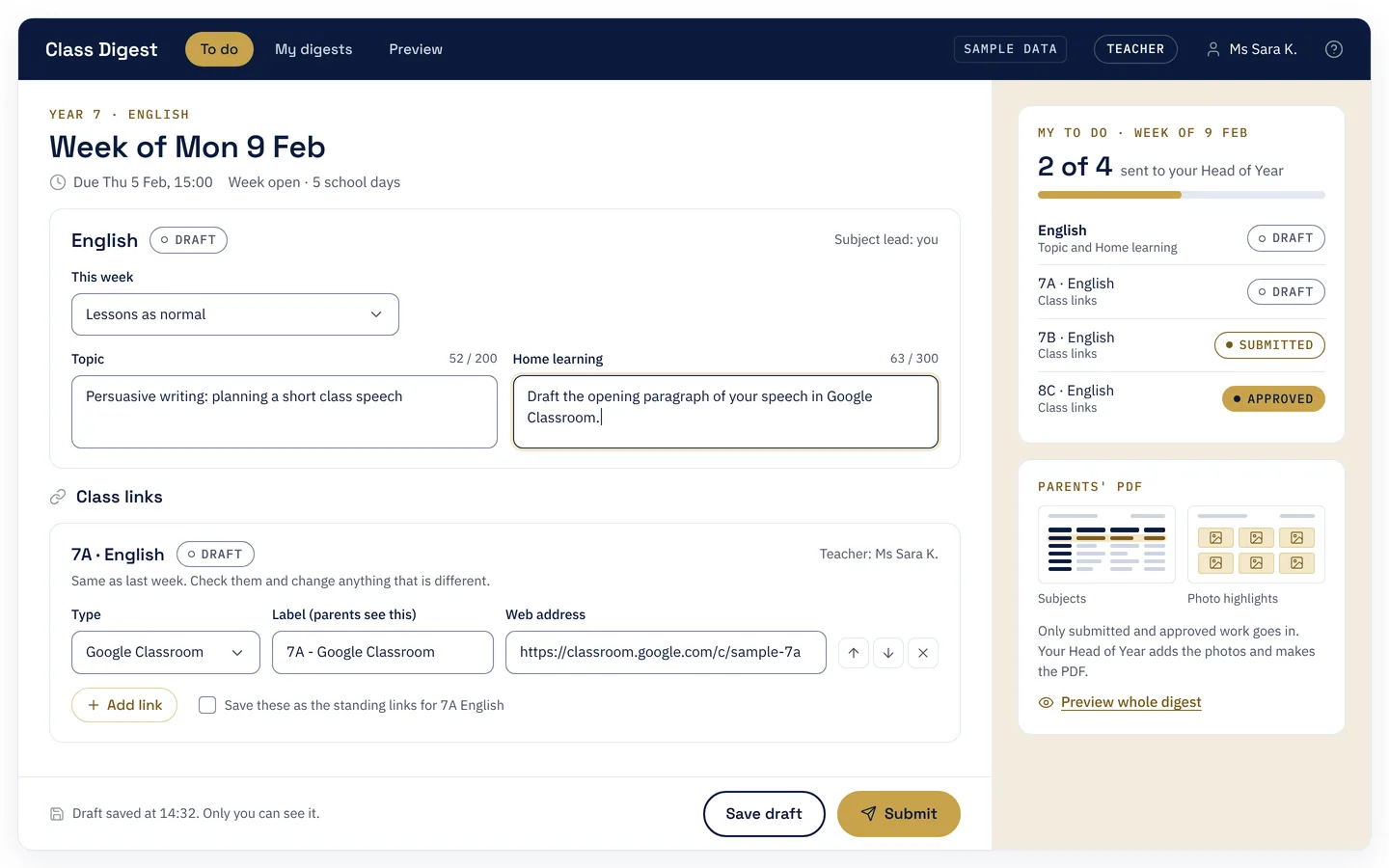
Weekly class updates for parents, without the slide decks.

  • Teachers fill in their week, and heads of year review and approve it
  • Makes a branded PDF for parents, for a week, a month or the whole year
  • Tracks who has submitted and sends reminders
  • Handles photos and Arabic text
Class Digest screen with sample data: a teacher filling in this week's English topic and home learning, with class links, draft, submitted and approved statuses, and a preview of the parents' PDF.
Preview with sample data

ClassPulse

In use

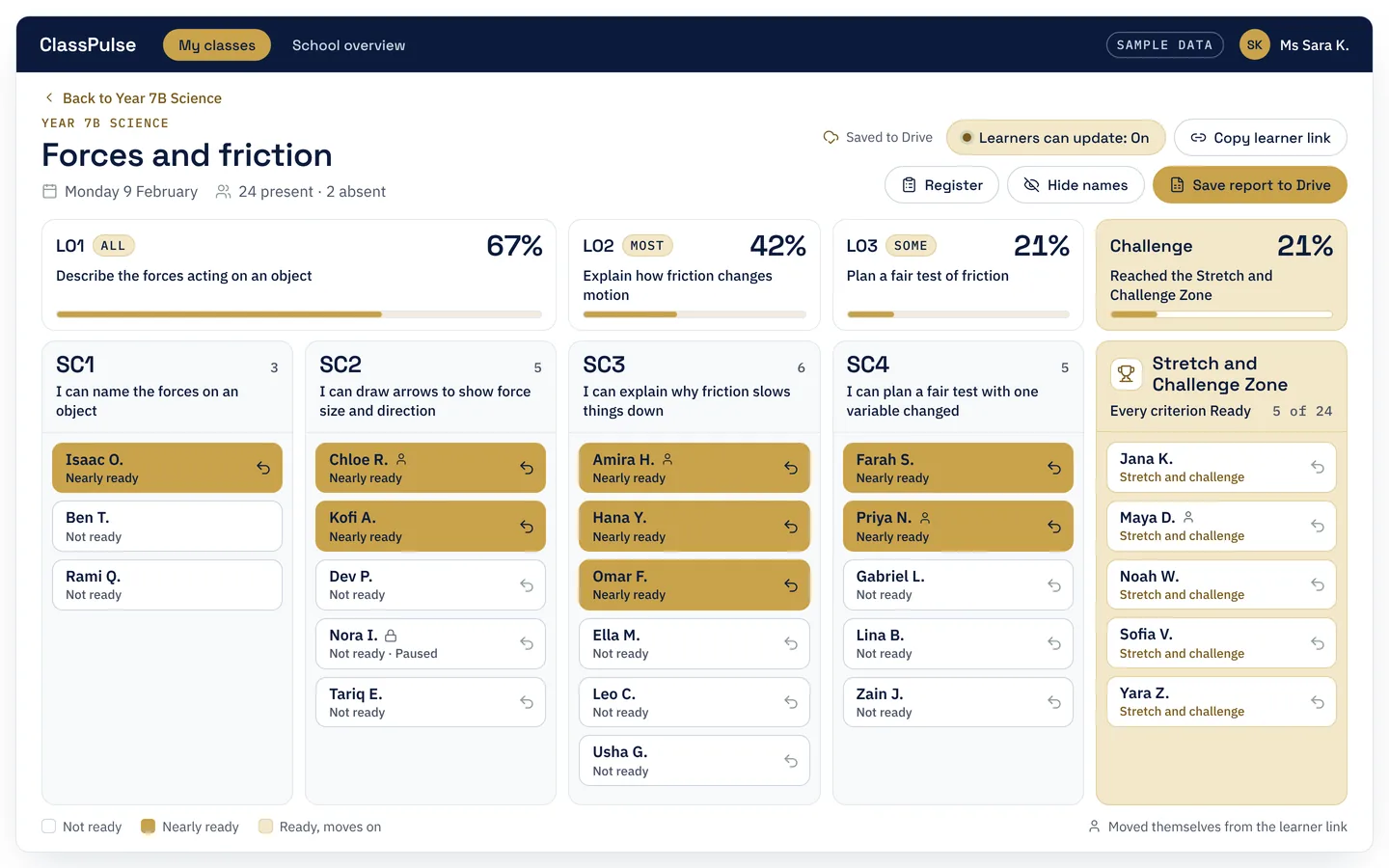
A live progress board for the classroom screen.

  • Learners move along the lesson's success criteria: Not ready, Nearly ready, Ready
  • A Stretch and Challenge zone for learners who get there early
  • Classes come from Google Classroom, and learners can update their own place
  • Saves reports to Google Drive, with an overview for heads of department and heads of year
ClassPulse screen with sample data: a Year 7B Science lesson board with columns for each success criterion and the Stretch and Challenge Zone, learner names marked Not ready or Nearly ready, and buttons to save a report to Drive.
Preview with sample data
Built in a real school

Made by a teacher, for teachers

Every tool started as a real problem in a UAE school, and was built by a teacher who meets those problems every day. Dune Scholars was founded by Albert van Zyl, who has been teaching for almost 20 years.

ClassPulse is already in use in classrooms. The other three are in testing now.

Want to know more?

Tell us what your school is working on, or ask us anything about these tools.